Magnetic Power Bank or Cable: What Works on a Long Day Out?
Our buying advice is based on published specifications and documented features. The shop links below go to official stores and currently contain no affiliate tracking. Read our disclosure.
Gear to consider
Start with your use case. Check the store for the current price, compatibility, and availability.
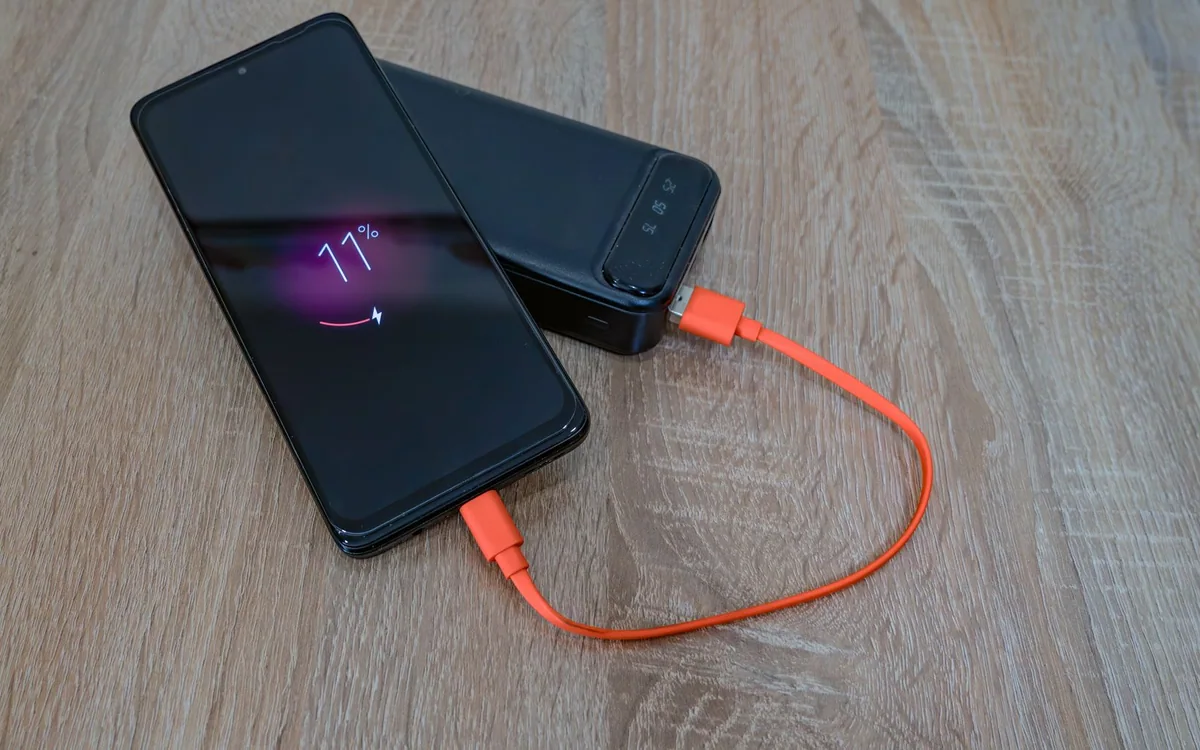
Imagine leaving home with a full battery, taking photos all afternoon, then reaching the train platform with a navigation app still open and dinner reservations on the screen. A power bank helps, but the way it connects determines whether the next hour feels comfortable or cumbersome.
Magnetic and wired charging solve overlapping problems. The useful comparison is how each fits walking, sitting, taking photos, and putting the phone away. Our recommendations are based on published product information and workflow tradeoffs, not measured efficiency tests.
| Situation | Magnetic attachment | Cable |
|---|---|---|
| Quick ticket check | One combined object | Phone stays lighter |
| Bank stays in bag | Limited separation | Longer reach |
| Uncertain phone support | Verify exact compatibility | Verify connector and charging support |
Choose where the battery will live
A magnetic bank rides on the back of the phone. You avoid a dangling cable and can pick up both pieces together, which is useful during a short stop or while checking a ticket. The tradeoff is that the phone becomes thicker and heavier. That extra volume can be awkward in fitted pockets, small hands, or a car mount.
A wired bank can stay in a bag or coat pocket while the phone remains light. The cable becomes the inconvenience: it may snag when you stand up or pull the bank toward the edge of a table. Picture the actual route from your pocket to your hand before treating either approach as automatically more portable.
Check the exact phone, case, and bank combination
A magnetic ring and wireless charging support are separate pieces of the puzzle. A case with magnets does not add wireless charging hardware to a phone that lacks it, and a bank that physically attaches may still have restrictions. Read the manufacturer’s compatibility list for the exact model, including any software requirements.
Anker’s MagGo Power Bank A1654 is a specific iPhone-oriented example. Its published information lists a 10,000mAh cell capacity and wireless output up to 15W; it also supports USB-C charging. Anker’s compatibility and simultaneous-output notes matter. Do not extend this model’s claims to every Android phone or every other product with MagGo in its name.
Capacity numbers are not a count of full charges
The number printed in milliamp-hours describes the bank’s cells under specified conditions. Energy conversion, charging losses, the phone’s battery, and use during charging all affect what reaches the phone. Avoid dividing the bank’s capacity by the phone’s capacity and treating the result as a dependable number of recharges.
Instead, decide whether you need an occasional evening rescue or support for a whole day of navigation and photography. If you routinely exhaust a bank, reduce screen and camera activity where practical or choose more capacity after checking size and weight. Carrying a smaller bank that you recharge regularly can be better than forgetting a larger one in a drawer.
Use cables strategically when the day gets demanding
A cable gives you another connection option when a case interferes with wireless alignment or the phone needs to sit away from the bank. For a USB-C phone, keep a short correctly rated cable in the same pouch. Older Lightning devices need the appropriate connector. Confirm whether the bank’s USB-C socket is an input, an output, or both.
Charging performance can change as devices warm up, especially in sunlight or inside an enclosed pocket. Give both devices ventilation and follow the manufacturer’s temperature guidance. Never make a product choice on a quoted maximum alone. If you need a quick stop before catching a train, prioritize a verified compatible wired setup over optimistic charging-time claims.
Buy for the routine, then practice the routine
For city errands with frequent short checks, a compatible magnetic bank can make charging less fiddly. For a phone that spends time mounted, held for long calls, or tucked in a pocket, a cable often gives the hardware more freedom. A bank offering both can be useful, provided the additional size still suits the bag you actually carry.
Check the current price, connector arrangement, supplied cable, return policy, and manufacturer safety notices for the exact model before ordering. At home, try a normal sequence: charge, take a photo, put the phone in a pocket, and retrieve a ticket. This simple fit check reveals inconveniences that a product photograph cannot, without pretending to be a laboratory battery test.
Common questions
Does magnetic mean it is an Apple product?
No. Accessory makers sell magnetic products using different standards and compatibility claims. Check the actual product specification and phone support rather than relying on the shape or a familiar marketing word.
Should I leave the bank attached all day?
Use it when you need power and follow the manufacturer’s guidance. Consider handling comfort and ventilation. Carrying the bank separately when charging is unnecessary also reduces the bulk in your hand.
Sources & editorial notes
Manufacturer and support documentation checked for this guide. Features, regional availability, and prices can change. Our recommendations apply those documented features to everyday scenarios; they do not represent hands-on testing.
- Anker: MagGo A1654 specifications and compatibility · Checked 2026-10-19
- Anker: A1654 user guide · Checked 2026-10-19
Found an error? Tell the editorial desk with the article link and a supporting source.