A Mechanical Keyboard in a Shared Room: What to Check Before Buying
Our buying advice is based on published specifications and documented features. The shop links below go to official stores and currently contain no affiliate tracking. Read our disclosure.
Gear to consider
Start with your use case. Check the store for the current price, compatibility, and availability.
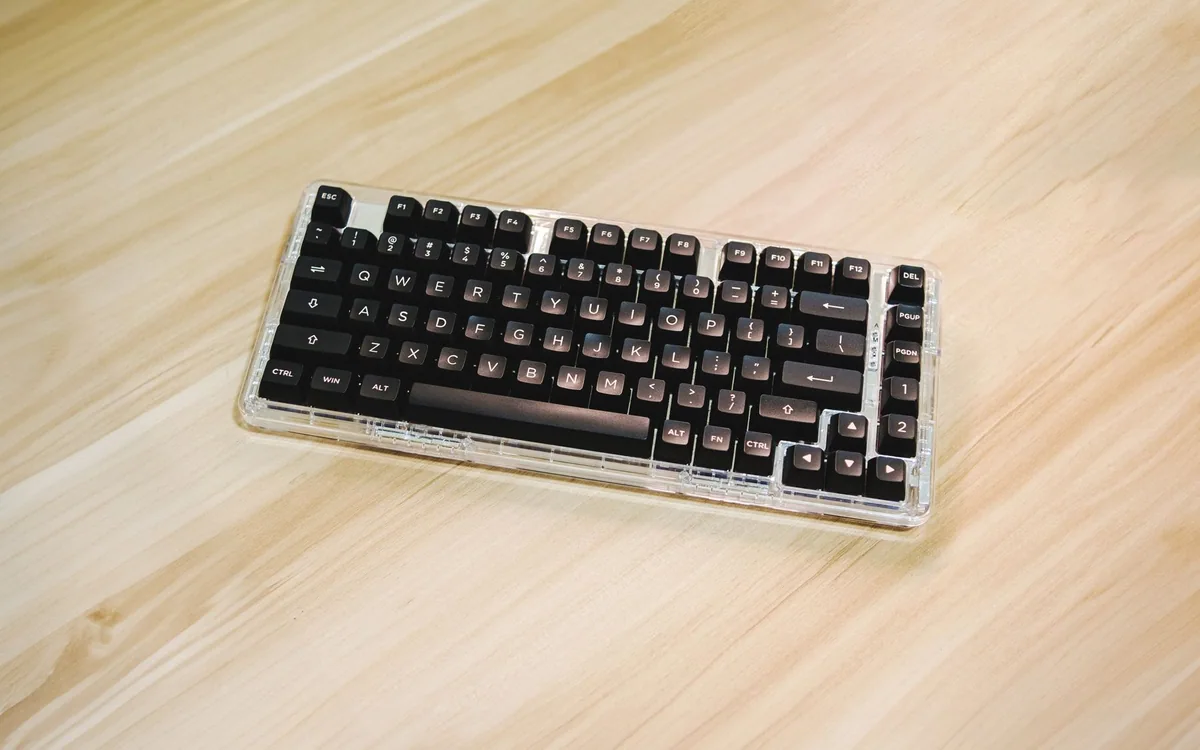
One person finishes a report at the dining table while another watches a film a few feet away. The keyboard’s feel may be excellent for the typist, yet every sentence becomes part of the room’s soundtrack. Choosing a keyboard for a shared space calls for more than finding a favorite switch description.
Mechanical keyboards vary widely, and switch names alone do not reliably predict how the complete board sounds on your desk. Use specifications to narrow the field, then check the full everyday setup during a return period. No sound measurements or hands-on acoustic tests are claimed here.
| Priority | Investigate | Watch for |
|---|---|---|
| Compact mechanical feel | Keychron K3 Max | Exact switches and layout |
| Familiar low-profile typing | Logitech MX Keys S | Full-width desk footprint |
| Late-night shared room | A real-room sound check | Non-clicky does not mean silent |
Define what quiet needs to mean in your room
A kitchen table in an open living space presents a different problem from a separate study with a closed door. Consider when you type, how long sessions last, and whether calls or sleep happen nearby. Discuss the practical tolerance before ordering a board that might be perfectly acceptable during the afternoon but unwelcome late at night.
Do not equate non-clicky with silent. Keycaps, stabilizers, the case, desk surface, and typing technique can all influence the sound. A short online sound clip is affected by the microphone and recording setup as well. Use it to understand character cautiously, not as a measured prediction of loudness in your home.
Choose the keys you actually need
A compact layout saves room for the mouse, but shrinking the keyboard can move familiar functions into shortcuts. List whether you use a number pad, dedicated navigation keys, or function keys every day. The right choice for spreadsheet entry may differ from the right choice for writing in a narrow corner of a shared table.
Keychron’s K3 Max uses a compact 75% format and a low-profile mechanical design. That makes it worth investigating when desk width matters. Check the exact regional layout, key legends, and selected configuration. A board that looks right in a photograph may still put a frequently used key somewhere that interrupts your work.
Check switches and customization with care
Read which switch variants are offered and whether the exact configuration supports replacement switches. Do not assume every model or variant is hot-swappable. Low-profile boards can also have different compatibility requirements from full-height mechanical designs. Buying a set of switches first and checking compatibility later is an avoidable expense.
If your main goal is reduced disturbance, avoid turning the purchase into a long modification project unless you enjoy that work. A different keyboard architecture may meet the household need more simply. Logitech’s MX Keys S is a low-profile alternative to compare, particularly if familiar laptop-style key travel matters more than mechanical customization.
Make the connection fit the work computer
The K3 Max publishes 2.4GHz wireless, Bluetooth, and wired connection options. These can be useful for moving between devices, but check what your computer supports and whether a receiver needs a spare USB port or adapter. Keep the charging route accessible so the keyboard does not become unavailable at an inconvenient moment.
For a managed work computer, verify whether optional customization software is permitted. Core typing should not depend on a feature you cannot install. If you alternate operating systems, check the available key mapping and included caps. Treat multi-device switching as a practical feature to rehearse rather than assuming it always remembers the arrangement you want.
Try a normal evening before deciding to keep it
Place the keyboard where it will actually be used and write for a meaningful session. Check the spacebar and larger keys, mouse reach, desk movement, and whether the board rocks. A desk mat can change surface noise, but it cannot guarantee a quiet keyboard. Avoid adding accessories indefinitely to rescue a purchase that does not fit the room.
Compare the current price of the complete configuration with a simpler alternative, including any receiver adapter or wrist support you truly need. Keep packaging until both typing comfort and shared-space suitability are established. The successful choice is a board you enjoy using without making the rest of the household plan around its sound.
Common questions
Are red switches always quiet?
No. A switch label describes only part of the design, and naming conventions vary. The completed keyboard, larger keys, desk, and typing style still affect the sound. Look for the exact configuration and try it in the room.
Should I buy a separate number pad?
Only if it improves your actual workflow. A separate pad can preserve a compact typing area, but it adds another item to store and connect. Frequent numerical entry may justify a full-size keyboard instead.
Sources & editorial notes
Manufacturer and support documentation checked for this guide. Features, regional availability, and prices can change. Our recommendations apply those documented features to everyday scenarios; they do not represent hands-on testing.
- Keychron: K3 Max configuration and connections · Checked 2026-10-19
- Logitech: MX Keys S · Checked 2026-10-19
Found an error? Tell the editorial desk with the article link and a supporting source.