Webcam or Phone for Video Calls: Choose the Setup You Will Actually Use
Our buying advice is based on published specifications and documented features. The shop links below go to official stores and currently contain no affiliate tracking. Read our disclosure.
Gear to consider
Start with your use case. Check the store for the current price, compatibility, and availability.
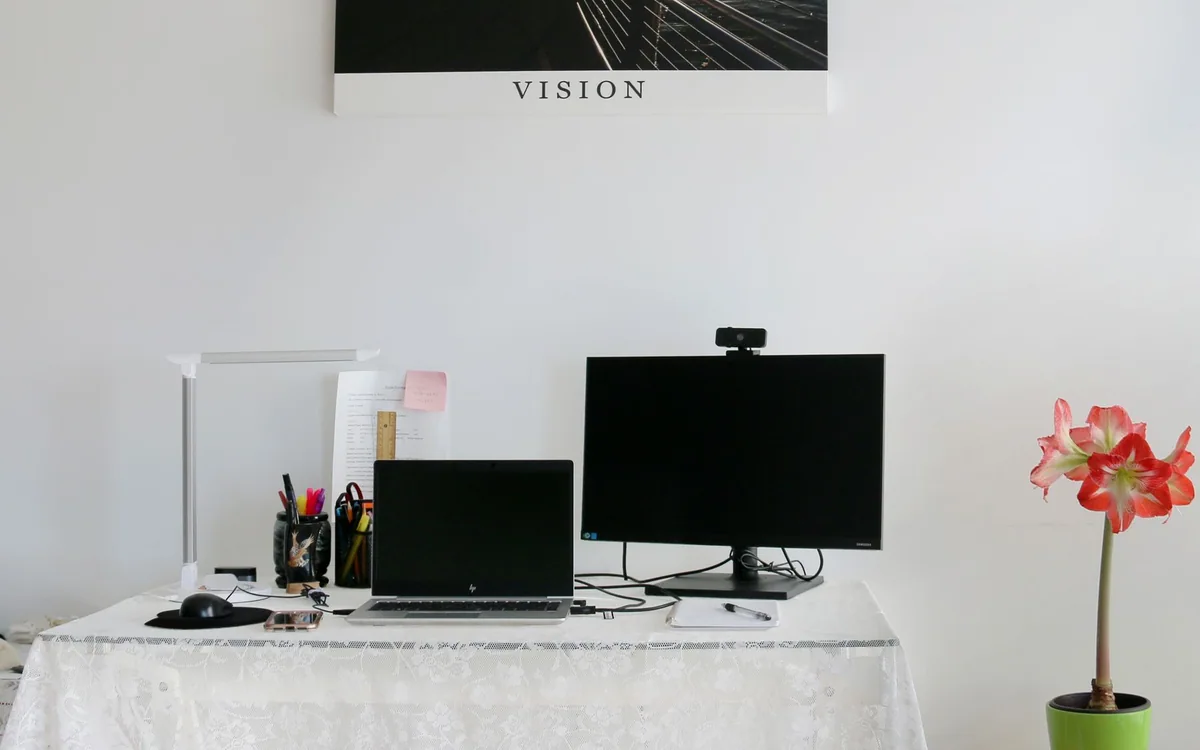
A video call starts in five minutes. Your laptop is aimed upward from the kitchen table, a bright window sits behind you, and the phone you planned to use as a camera is still charging elsewhere. A better camera may help, but setup friction and lighting can have a larger effect on whether the call begins smoothly.
Phone and dedicated-webcam options suit different routines. Judge the whole sequence from sitting down to joining the meeting, including microphone selection and notifications. This comparison uses published capabilities and practical workflow reasoning rather than claiming side-by-side image testing.
| Routine | Phone camera | Dedicated webcam |
|---|---|---|
| Occasional calls | Uses supported hardware already owned | Additional purchase |
| Frequent meetings | Mounting and phone availability matter | Can remain ready |
| Managed work computer | Verify account and software rules | Verify connection and software rules |
Improve the scene before changing the camera
Raise or position the camera near a sensible eye line, provide soft light in front of you, and avoid a bright window dominating the background. Check the preview in the actual meeting application. A camera may look different there from its manufacturer’s sample because of compression, application settings, and the available connection.
Also check sound. A clear picture cannot rescue a distant microphone or an echoing room. If you already use headphones with a dependable microphone, keep that arrangement while comparing camera options. Change one part at a time so you can tell whether a new purchase improves a real problem rather than simply changing the appearance of the preview.
Verify the phone workflow before buying a mount
Apple’s Continuity Camera supports using a compatible iPhone as a Mac webcam, subject to its documented model, software, account, and connection requirements. Read the current support page for the exact combination, especially if the computer is managed by an employer. A phone mount is useful only after you confirm that the camera function works with your meeting setup.
For other phone and computer combinations, investigate the required application and permissions through the relevant official documentation. Do not assume Apple’s built-in workflow applies to Windows or every Android device. Consider whether an additional application, cable, or account is acceptable for the way you use the computer. A cheap mount becomes wasted hardware if the required software is not allowed.
Account for the phone you temporarily lose
When the phone becomes a camera, it may no longer be convenient for authentication prompts, messages, notes, or a quick call. That interruption can be minor for a weekly family conversation and significant for back-to-back work meetings. Think about where the phone will be mounted, how it receives power, and how you retrieve it without moving the picture mid-call.
Use a stable mount appropriate to the phone, case, and display rather than balancing the handset on a fragile screen edge. Check the camera view before each call and leave room for the cable if required. A setup that takes several minutes to assemble can be worthwhile for an occasional presentation but frustrating as the default for a busy workday.
Know what a dedicated webcam buys
A dedicated webcam can stay connected and aimed correctly, leaving the phone available. Logitech’s Brio 500 is one example with published Full HD 1080p capability and a USB-C connection. Its dedicated format is the main workflow advantage to assess; a resolution label alone does not establish how it will perform in your room.
Check mounting fit, privacy controls, cable length, and computer ports. If an adapter is needed, include it in the complete cost and make sure it supports the connection. Look at which features require companion software and whether they work in your operating system and meeting application. Avoid paying for options that a work policy prevents you from using.
Rehearse the next ordinary meeting
Try the phone option for a noncritical call while keeping the built-in camera available. Check whether it reconnects after sleep, whether the microphone stays correctly selected, and whether mounting interferes with reading the screen. If the extra steps repeatedly get in the way, a dedicated webcam may justify its price through convenience alone.
For a purchased webcam, use the return window in your normal room and application. Compare framing and usability under the lighting you actually have, then choose the setup that is ready when meetings begin. A modest camera that stays in place can be a more useful daily tool than a technically capable phone-camera arrangement that is always waiting to be assembled.
Common questions
Do I need a 4K webcam for meetings?
Not automatically. The meeting service, connection, lighting, and framing influence the result. Identify the problem with your current picture first and check the service’s supported modes before paying for a higher-resolution camera.
Can I use the phone microphone too?
That depends on the supported workflow and application. Confirm the selected microphone in the meeting preview, and avoid assuming it follows the camera selection automatically. A separate headset may be more convenient.
Sources & editorial notes
Manufacturer and support documentation checked for this guide. Features, regional availability, and prices can change. Our recommendations apply those documented features to everyday scenarios; they do not represent hands-on testing.
- Apple: Continuity Camera requirements and setup · Checked 2026-10-19
- Logitech: Brio 500 specifications · Checked 2026-10-19
Found an error? Tell the editorial desk with the article link and a supporting source.