Choose a USB-C Hub for a Home Office, Not Just a Longer Port List
Our buying advice is based on published specifications and documented features. The shop links below go to official stores and currently contain no affiliate tracking. Read our disclosure.
Gear to consider
Start with your use case. Check the store for the current price, compatibility, and availability.
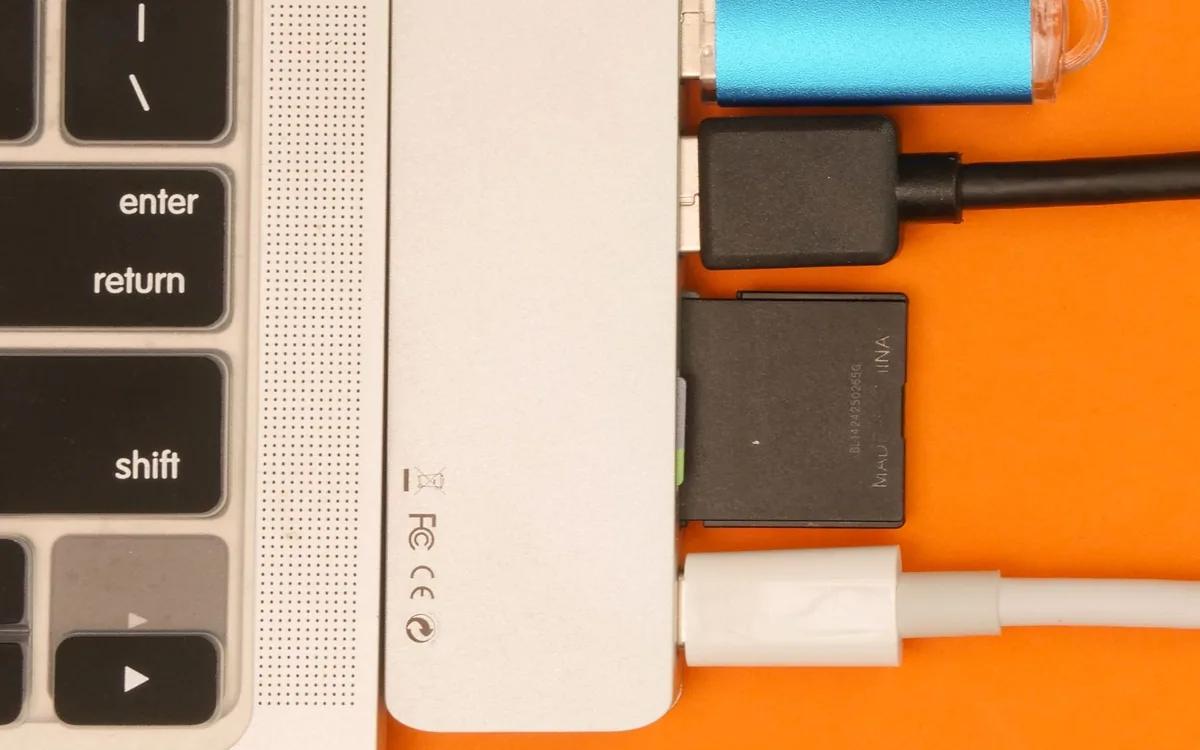
Your laptop has two USB-C ports, but the desk still has an older keyboard receiver, an HDMI monitor, and a camera memory card. A small hub appears to solve all three problems, until the monitor looks less smooth than expected or the laptop charges more slowly than the number on the box suggested.
Port count is a useful starting point, not the buying decision. Match each socket’s actual role to the equipment you use. This guide uses the Anker 341 as a concrete specification-reading example and compares its role with a more substantial desktop dock.
| Requirement | Anker 341 example | Check before buying |
|---|---|---|
| External picture | HDMI up to 4K/30Hz | Desired resolution and refresh |
| Laptop charging | Up to 85W with suitable 100W supply | Charger, cable, and laptop needs |
| USB-C storage | USB 2 data port | Use a suitable faster data path if needed |
Check the laptop port and make a short list
Read the laptop manufacturer’s description of the USB-C port you intend to use. Video output, charging, and data capability vary between computers and sometimes between ports on the same machine. A hub cannot create an unsupported video-output path. Record the exact laptop model and any work-device restrictions before buying around a generic compatibility claim.
List the devices that must connect at the same time. A keyboard receiver, monitor, SD card, and charging cable need different capabilities. Separate daily requirements from occasional ones. A hub with ten sockets may be less useful than a smaller one whose three essential connections work exactly as needed. Include the space around the laptop when several cables are attached.
Read the display mode as a complete pair of numbers
Resolution and refresh rate belong together. The Anker 341 USB-C Hub A8346 lists HDMI output up to 4K at 30Hz. That may suit some uses, but it is a different experience from a higher-refresh desktop arrangement. Do not stop reading at the word 4K, particularly if the monitor serves both work and games.
Confirm the mode supported by the laptop, hub, cable, and monitor together. If you already own a display, inspect its intended input rather than comparing only the panel’s maximum specification. A direct connection can be preferable for the main monitor when a compact hub would impose an unwanted limit. Choose the arrangement before purchasing adapters to rescue an unsuitable hub.
Distinguish charging input from laptop delivery
Pass-through charging usually requires a separate compatible power supply. Anker documents up to 85W to the laptop on the 341 when used with a suitable 100W Power Delivery charger and cable, with power reserved for the hub. The input number and the delivered laptop number are therefore different. Check both rather than assuming all of the adapter’s power reaches the computer.
Compare delivered power with the laptop requirement under your workload. A demanding computer may still need its original charger, particularly when heavy processing and peripherals are involved. Include the separate charger and cable in the budget if you do not already own suitable ones. A low hub price is less meaningful when the complete setup needs several additional purchases.
Check data ports individually
The Anker 341’s published specifications distinguish its USB-A data ports from its USB-C data port; the latter is listed at USB 2 rates. The shape of a socket does not establish its transfer speed or prove it supports video. Read the table for the exact port where you intend to connect a portable SSD or other demanding device.
Card-reader support and simultaneous activity also deserve attention. If your routine involves copying large video files while using a display and another drive, examine the manufacturer’s documented constraints. A compact accessory is convenient for occasional expansion, but it should not be assumed to provide independent maximum performance on every connection at once.
Choose portability or permanence honestly
A small hub is easy to carry and sensible for occasional desk work. A powered dock such as CalDigit’s TS4 is worth investigating when many accessories remain connected, because it is designed as a more substantial desktop connection point. Its published 18 ports and up to 98W host charging serve a different scale of setup. Host-specific limits still apply.
Check current prices and return terms, then rehearse the complete work session after delivery: wake the computer, connect the display, join a call, transfer a file, and check charging. Keep ventilation around the accessory and avoid leaving it hanging by its short host cable. Buy the least complicated device that meets the verified requirements, with room for the next connection you actually expect to use.
Common questions
Can every USB-C hub run a monitor?
No. The hub must support video and the laptop port must supply a supported signal. Check the exact models and connection path. A data-only USB-C port cannot provide video merely because a hub includes HDMI.
Should I buy a dock instead?
Consider one when several peripherals stay on the desk, you need its documented power or connection capabilities, and the laptop supports the intended arrangement. For occasional simple expansion, a compact hub can be sufficient.
Sources & editorial notes
Manufacturer and support documentation checked for this guide. Features, regional availability, and prices can change. Our recommendations apply those documented features to everyday scenarios; they do not represent hands-on testing.
- Anker: 341 A8346 port and power specifications · Checked 2026-10-19
- CalDigit: TS4 specifications and compatibility · Checked 2026-10-19
Found an error? Tell the editorial desk with the article link and a supporting source.