Choose a Car Phone Mount Before Choosing Its Charging Speed
Our buying advice is based on published specifications and documented features. The shop links below go to official stores and currently contain no affiliate tracking. Read our disclosure.
Gear to consider
Start with your use case. Check the store for the current price, compatibility, and availability.
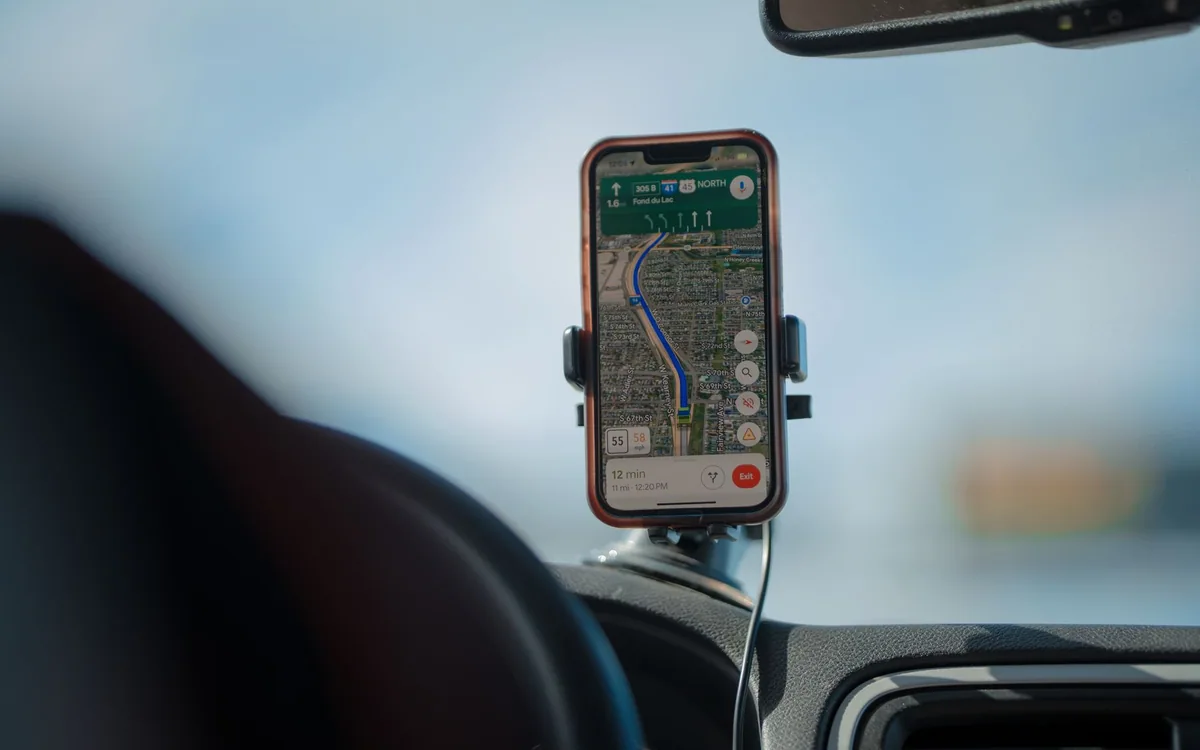
Navigation is running, the charging lead falls into the passenger footwell, and the phone slips out of the cup holder when you turn. A proper mount is a useful upgrade. The wrong mount, however, can block a control, strain an air vent, or position the screen where it is difficult to glance at.
Choose the physical arrangement while parked before comparing charging wattage. A secure, suitable position and a predictable cable route do more for the daily routine than another headline number on the charger box.
| Option | Good reason to choose it | Check first |
|---|---|---|
| Vent mount | Convenient accessible location | Vent shape, load and airflow |
| Magnetic wireless mount | Quick placement with compatible phone | Case, power supply and heat |
| Simple cradle plus cable | Broad device fit and existing wired use | Button clearance and cable routing |
Find a suitable position in your actual car
Look at the dashboard, vents, display, steering controls, airbags, and your normal seating position. A mount should not obstruct your view or interfere with vehicle controls or safety equipment. Local rules on device placement and use vary, so check the applicable requirements for where you drive. Do not assume a location shown in an advertisement is suitable or permitted in your car.
Assess the position while parked with the seat and steering wheel adjusted normally. Can you see the relevant navigation information without leaning? Can a passenger operate the climate controls? Does the mount intrude into a space needed by an airbag? If the answer is uncertain, choose another location or an appropriate vehicle-specific solution rather than forcing the accessory to fit.
Match the attachment to the surface
Vent clips require compatible vent geometry and enough strength for the load. Circular, deeply recessed, unusually thin, or motorized vents can complicate the fit. Dashboard and windshield mounts introduce different surface, adhesive, suction, and placement requirements. Compare the mount maker's instructions with the actual material and layout, including how you will remove it later.
A phone, case, charging head, and arm create more leverage than the phone alone. Check how the mount handles that complete load and whether tightening it risks damaging trim. An inexpensive simple cradle can be a sensible choice if it fits securely. A premium wireless mount is poor value when its attachment is wrong for the car.
Choose magnetic or mechanical holding deliberately
Magnetic placement is convenient for short stops, provided the phone and case are properly compatible with the mount. A case that merely allows wireless charging is not automatically a secure match for every magnetic holder. Mechanical clamps can suit a wider range of phones, but their jaws may overlap buttons or need adjustment when devices are shared.
Check camera protrusions, case thickness, foldable-phone limitations, and the screen angle you need. If several people use the car, compare how easily each phone fits. Do not add an arbitrary metal plate without understanding its effect on wireless charging and the manufacturer's guidance. A good physical hold and a correct charging arrangement need to be evaluated together.
Read the charging path from the car socket onward
Belkin's UltraCharge Qi2.2 25W vent-mount charger is one current magnetic-wireless option to examine. The published maximum is not a promise that every phone will charge at that rate. The phone, case, power adapter, cable, operating conditions, and supported charging standard determine the actual path. Check the exact selected package for included equipment.
A wired cable remains a practical alternative, especially when you already use a wired phone-integration connection in the car. Avoid buying wireless charging that duplicates a cable you must connect anyway. Route either cable away from pedals, steering movement, gear selection, and other controls, using a length and fastening method appropriate for the vehicle.
Keep heat and daily use in the decision
Navigation, screen use, direct sun, and charging can make a demanding environment for a phone. Follow the phone and charger manufacturers' temperature guidance, and do not assume a vent position is always cool when the heating is running. If the arrangement becomes hot or unstable, stop using it and resolve the placement or compatibility problem while parked.
Set the route, connect the phone, and adjust the mount before driving. Choose controls that reduce handling during the journey and follow local use rules. Skip a charging mount if your built-in navigation and an occasional cable already meet the need. Buy the accessory to make a recurring task simpler, then keep the interaction with it brief and predictable.
Common questions
Does Qi2.2 mean every phone receives 25W?
No. Maximum charging output depends on the compatible phone and complete power arrangement. Read the requirements for the exact mount and device.
Will a vent mount fit any car?
No. Vent shape, materials, position, and load limits vary. Verify the fit and the effect on surrounding controls before purchase.
Is wireless charging always better than a cable?
It can simplify placement, but a cable may suit an existing wired integration setup and avoid buying equipment that duplicates the connection you already need.
Sources & editorial notes
Manufacturer and support documentation checked for this guide. Features, regional availability, and prices can change. Our recommendations apply those documented features to everyday scenarios; they do not represent hands-on testing.
- Belkin UltraCharge Qi2.2 car vent mount official product information · Checked 2026-10-19
Found an error? Tell the editorial desk with the article link and a supporting source.